Sunday, 4 October 2015

Make new android 6.0 M (Marshmallow)

Android 6.0 Marshmallow
By Jamal Eason , Product Manager, Android

Whether you like them straight out of the bag, roasted to a golden brown exterior with a molten
center, or in fluff form , who doesn’t like marshmallows? We definitely like them! Since the
launch of the M Developer Preview at Google I/O in May, we’ve enjoyed all of your participation And feedback. Today with the final Developer
Preview update, we're introducing the official Android 6.0 SDK and opening Google Play for
publishing your apps that target the new API level 23 in Android Marshmallow.

Get your apps ready for Android
Marshmallow

The final Android 6.0 SDK is now available to
download via the SDK Manager in Android Studio .
With the Android 6.0 SDK you have access to the
final Android APIs and the latest build tools so
that you can target API 23. Once you have downloaded the Android 6.0 SDK into Android Studio, update your app project compileSdkVersion to 23 and you are ready to test your app with the new platform. You can
also update your app to targetSdkVersion to
23 test out API 23 specific features like auto-
backup and app permissions.

Along with the Android 6.0 SDK, we also updated
the Android Support Library to v23. The new
Android Support library makes it easier to
integrate many of the new platform APIs, such
as permissions and fingerprint support, in a
backwards-compatible manner. This release
contains a number of new support libraries
including: customtabs, percent, recommendation,
preference-v7, preference-v14, and preference-
leanback-v17.

Check your App Permissions

Along with the new platform features like fingerprint support and Doze power saving mode, Android Marshmallow features a new
permissions model that streamlines the app install and update process. To give users this
flexibility and to make sure your app behaves as
expected when an Android Marshmallow user
disables a specific permission, it’s important
that you update your app to target API 23, and
test the app thoroughly with Android
Marshmallow users.

How to Get the update

The Android emulator system images and developer preview system images have been
updated for supported Nexus devices (Nexus 5,
Nexus 6, Nexus 9 & Nexus Player) to help with
your testing. You can download the device
system images from the developer preview site .
Also, similar to the previous developer update,
supported Nexus devices will receive an Over-
the-Air (OTA) update over the next couple days.

Although the Android 6.0 SDK is final, the
devices system images are still developer preview
versions. The preview images are near final but
they are not intended for consumer use.
Remember that when Android 6.0 Marshmallow
launches to the public later this fall, you'll need
to manually re-flash your device to a factory image to continue to receive consumer OTA updates for your Nexus device.

What is new?

Compared to the previous developer preview
update, you will find this final API update fairly
incremental. You can check out all the API
differences here , but a few of the changes since
the last developer update include:

*Android Platform Change:

       *Final Permissions
User Interface — we
updated the
permissions user
interface and
enhanced some of the
permissions behavior.

*API Change:

      *Updates to the
Fingerprint API — which enables better error reporting, better fingerprint enrollment experience, plus enumeration support
for greater reliability

Upload your Android Marshmallow apps to Google Play.

Google Play is now ready to accept your API 23
apps via the Google Play Developer Console on all
release channels (Alpha, Beta & Production). At
the consumer launch this fall, the Google Play
store will also be updated so that the app install
and update process supports the new permissions
model for apps using API 23.
To make sure that your updated app runs well on
Android Marshmallow and older versions, we
recommend that you use Google Play’s newly
improved beta testing feature to get early
feedback, then do a staged rollout as you release
the new version to all users.
Get your apps ready for Android
Marshmallow

M.A Android Developers

Thursday, 20 August 2015

Virus study infects humanity with a 'vomiting machine'

Researchers create a machine that vomits to
study how virus particles emitted when
someone throws up can spread through the
air and infect others. They had us at "a
machine that vomits."

Thanks to science, we finally have a vomiting
machine. You're welcome, society.
North Carolina State University

Scientific experiments have brought mankind all
sorts of great inventions, like the lightbulb, the
telephone and the four-slice toaster. Another
experiment has brought the world something it
didn't know it wanted: a vomiting machine.
North Carolina researchers joined forces to
create just such an insane-sounding device as
part of a study that found that virus particles
such as those from the fast-spreading human
norovirus, which causes acute gastroenteritis,
can leave the body of a person who vomits and
then hang in the air and infect others.
Researchers from North Carolina State
University in Raleigh and Wake Forest University
in Winston-Salem created a batch of fake vomit
that they infected with the MS2 bacteriophage
virus, a type of norovirus that isn't harmful to
humans and is commonly used in similar simulated
demonstrations. They sprayed the vomit through
the machine, which features a throat-like tube
encased in a one-quarter-scale clay model of a
human face in a plexiglass box.
Grace Tung-Thompson
Then they waited to see how much of the virus
aerosolized in the air in the form of particles
after the simulated person lost its simulated
lunch, according to the study, which appeared in
the journal PLOS ONE Wednesday.
Only a small percentage of the virus particles
hung around in the air, but "in absolute terms,
it is a lot compared to the amount of virus
needed to cause infection," Francis de los Reyes,
a professor of civil, construction and
environmental engineering and an associate
faculty member of microbiology at North Carolina
State, said in a statement .
He also notes that just .02 percent of the virus
aersolized but that's "more than enough to
infect other people."
RELATED LINKS
If you're grossed out already, brace yourself,
because it gets even grosser. These particles
can land in a person's mouth and cause an
infection if they are swallowed, says Lee-Ann
Jaykus , a North Carolina State professor of
food, bioprocessing and nutrition sciences.
"But those airborne particles could also land on
nearby surfaces like tables and door handles,
causing environmental contamination," Jaykus
said. "And norovirus can hang around for weeks,
so anyone that touches that table and then puts
their hand to their mouth could be at risk for
infection."
This isn't the first time scientists have built
something that vomits to show how diseases can
spread. Back in 2013, scientists at the Health &
Safety Laboratory in the UK built a barfing
robot nicknamed "vomiting Larry" that also
showed how the norovirus, which causes nausea,
vomiting, watery diarrhea and abdominal pain,
can spread to other people when victims blow
chunks.
North Carolina State also released a video of its
achievement in simulated barfing. You really
shouldn't watch it if you're eating anything,
although I probably should have said that at the
very beginning of this story.

Source:CNN

Wednesday, 1 July 2015

What I can do with my android phone..

Hey guys,,

how you use android phone in yous daily life..
much more huh? may be not......
some of our tech will use in space also ...... That's a amazing thing
But, we are just using them in only some works..
So, today i am here to tell  all the new applications of android apk file
Do you know guys, we can dooo much more stuff in android like
1. Start your car with your Android phone
2. Measure your heart beat
3. Control your PC from your phone
And much more ........
Things are pretty intresting na..............
Then why are you waiting find them all & don't forgot to share..........

  • 1. Start your car with your Android phone

Yes , your android phone can be the key to start your car ! , Regardless of where you are , you might be in another continent and you will still be capable of starting your car wirelessly from miles away . All you need is the Viper Smartstart app and you are all set to through away your clunky car key and the key-chains . Your Android phone is now all you need to start , lock and unlock your car . Apart from the basic features the app has loads of other features .
cool viper

DOWNLOAD THIS NOW

In order to access all the features of this app you need to get your hands on the paid version of this app which would cost you around $149 for the viper smartstart Bluetooth module to $399 for the GPS module . The most weirdest thing about this app is that , it enables your car to share its activity on Facebook . Sounds funny but according to the app developers , you car needs friends too . Another cool thing our android phones can do .
2. Measure your heart beat
You android phone can now be your personal doctor , or at least act like one . Using the Instant Heart Rate app your android phone can now measure your heart rate . The app uses your phones built-in camera to track color changes on the fingertip that are directly linked to your pulse. This is the same technique that medical pulse oximeters use . I have used the app myself and i can clearly state that it is pretty much accurate . Not just me there over hundreds of users who have rated more than 4 stars for this cool app on the play store .
heart-rate-monitor-cool-things

DOWNLOAD THIS NOW


 3. Control your PC from your phone
Controlling your phone is a very easy task on android . There are many apps for this but ill suggest you my personal favorite , the Teamviewer for Remote Control app . If you are a windows user then chances are there that you might have actually met its Windows sibling . Using the Teamviewer app on your android phone you can easily access your computer from your phone remotely and have complete control over your PC . Be it supporting your family and friends with computer problems or shutting down your PC . Teamviewer is all you need to to control your PC from your phone . The best part it you can even transfer your files from your computer to your phone or vice versa .
teamviewer

DOWNLOAD THIS NOW

  • 4. Host your own web server

Android is based on Linux , which means like any Linux device your Android phone can run a full-fledged Web server complete with a mySQL database, PHP support and FTP for file transfers . You can even use this server to host your own website on the internet . KSweb is an Android app that can help you to set up a server on your android phone . This is by far the coolest thing you can do on a android phone .
ksweb
  • 5. Connect to a USB flash drive

This is a less known thing among most Android users . A android phone can easily use a flash drive as a secondary storage . All you need is an USb OTG cable and a free app ,which will enable your Android phone to use flash drive and external hard disk as secondary storage devices  . In any case you need to free up some memory from your digital camera , you can use a SD card reader to move files from your camera’s memory card to your phones memory .
cool-usb-otg

GET OTG CABLE(Or buy in store)

  • 6. Install desktop Linux on your Android phone

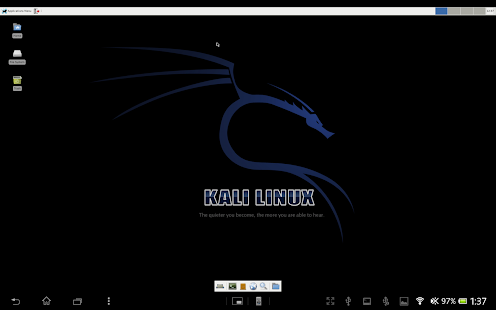
Just as we said before , Android Being based on Linux , they do have many similarities . When an Android phone has enough processing power to run a web server , why can’t it run an entire new OS ? . Using a free app called Linux installer you can run operating systems like Ubuntu straight from your phone . You can use a USB OTG cable to connect a keyboard and mouse and you have a full fledged desktop with multitasking capability in your hands . Further you will be able to use all the apps that come pre installed within the OS .Complete Linux Installer - screenshot thumbnail
  • 7. Programming an android app on your phone

You android phone is something similar to and desktop PC , which means you do have the ability to program on your android phone . With Android, you can actually write, compile and test an app directly on your device. AIDE is an free Android app to write programming codes from your android phone itself . Its the most convenient way of satisfying your programming needs when you’re on the move .
aide-programming

DOWNLOAD THIS NOW

  • 8. Recognize any monument or place

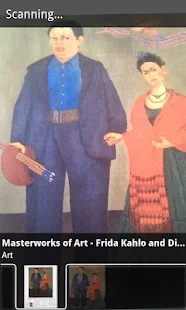
You might know the popular Eiffel tower but what about the other less known monuments ? , You Android phone can help you with that . Google has a free app called Google Goggles , which allows you to capture photographs of monuments and structure and identify them . So next time you’re visiting a new place , you will have your android phone which will provide you more details on any monument than your guide can .Further you can even use the Goggles app to identify monuments from photographs .

Google Goggles - screenshot thumbnail

DOWNLOAD THIS NOW


  • 9. Use as a pedometer

Sometimes you might think of why your android phone has so many features like GPS , gyroscope , humidity sensor …etc . Well apart from your phone using these features , there are other app that can take advantage of these features . Using the Accelerometer inside your phone , there are several android apps on the play store which can determine and record how many steps you have taken . One such app isRunkeeper , apart from serving as a pedometer , it combining your BMI data and provide you details about how much calories you burn as you walk .
runkeeper-cool

DOWNLOAD THIS NOW

  • 10. Pay for your coffee

Well this is a very recently introduced idea by Starbucks . there is an Starbucks app on the Google play store that lets you pay for your coffee at Starbucks by your phone itself . To be able to use this service you need to add funds from your cards to the Starbucks app , after which you will only need to swipe your phone to pay for your coffee at Starbucks . This feature has seen very wide acceptance among many services nowadays and very soon it is going to be available everywhere .


Monday, 29 June 2015

Facebook Can Recognize YouEven if You Don't Show YourFace

Well, this is incredible and scary both at the
same time.
Forget about "facial" recognition;
Facebook's newest technology is way good at
identifying you in photos even without the need
to see your face .
The New Scientist is reporting about the
Facebook's new "experimental" facial
recognition algorithm which is so powerful that
it can identify you in photos even when your
faces are hidden.
Instead, the Facebook's extremely accurate
facial recognition algorithm uses other unique
characteristics — such as your hairstyle, your
body shape, your body language, your clothing
and how you carry yourself — to identify that
it's you.
Facebook's New Facial Recognition Technology -
83% Accurate
Facebook's artificial intelligence lab is working
on this technology and, according to the head
of artificial intelligence at Facebook Yann
Lecun, the experimental algorithm is currently
able to identify individuals with 83% accuracy,
even if the faces in the photos are obscured.
"There are a lot of cues we use. People
have characteristic aspects, even if
you look at them from the back," Lecun
said while taking to the New Scientist.
Like, "for example, you can recognize
Mark Zuckerberg very easily because he
always wears a gray T-shirt."
No doubt, this is beneficial to Facebook, who
wants to incorporate this algorithm into its
recently-launched Moments app that helps
create collections of photos by scanning your
camera roll with facial recognition.
Even though the feature is very impressive, it
does not mean every one of us are comfortable
with the idea of being so accurately scanned,
identified, and recognized by any tech company.
However, LeCun said the technology could
actually be good for privacy. Like, it might
alert users if their photo surfaces online, even
if their face is not clear or they are facing
away from the camera.

Sunday, 28 June 2015

World’s First 200GB microSD Card Arrives

There isn't any troll in the title. The " World's Largest microSD" card sized at 200GB is now officially available for purchasing from Amazon and number of retailers.

So, Is your 16GB, or 32GB, or even 64GB smartphone not enough to store all your data in one place?

Order a Sandisk's new high-capacity microSD card from Amazon now. However, the only issue is that it is not exactly very cheap. You will have to pay around $240 to buy one.

World's First 200GB MicroSD Card

Back in March when Sandisk first announced the world's first 200GB microSD card, it was expected to be priced at around $400. However, $240 has been marked as the price for the highest-capacity microSD card available in the market.

Sandisk's 200GB microSD card, or Ultra microSDXC UHS-I card, offers a transfer speed of up to 90MB per second, which is double the speed provided by its 128GB counterpart.

Transfer Speed: 1200 Photos Per Minute

The company claims that the speed will allow you to transfer up to 1,200 photos in just a single minute. The card is something of great use for photographers and filmmakers who need more storage capacity to store high-resolution photographs and videos.

Moreover, Sandisk's 200GB MicroSD card comes packaged with an SD adapter and a 10-year limited warranty.

Furthermore, the 200GB MicroSD card is waterproof, shockproof, temperature proof, magnet proof and X-ray proof to deal with any possibility of destruction.

However, if you can not spent this much for 200GB of storage space, there always remains an option for you to buy a 128GB MicroSD card that still provides you plenty of space and costs as much as $80.